Billing and AI credits
Buy AI credits, read the ledger, and understand hosted MCP plan limits from the dashboard, CLI, or API.
MCP Stack uses prepaid AI credits for hosted agent usage. Owners and Admins can buy top-ups through Stripe Checkout from the dashboard or CLI; Developers can view balance and history. Hosted MCP server counts may be capped by your self-serve plan.
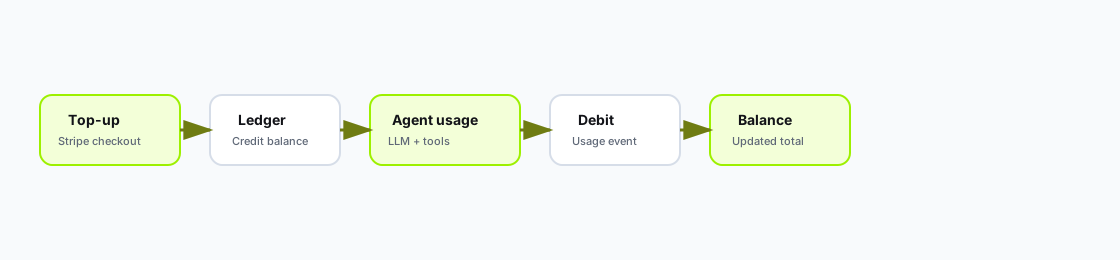
Top-ups add credits to the organization ledger; agent and hosted usage debits the balance over time.
Role details live in Organization roles and billing access.
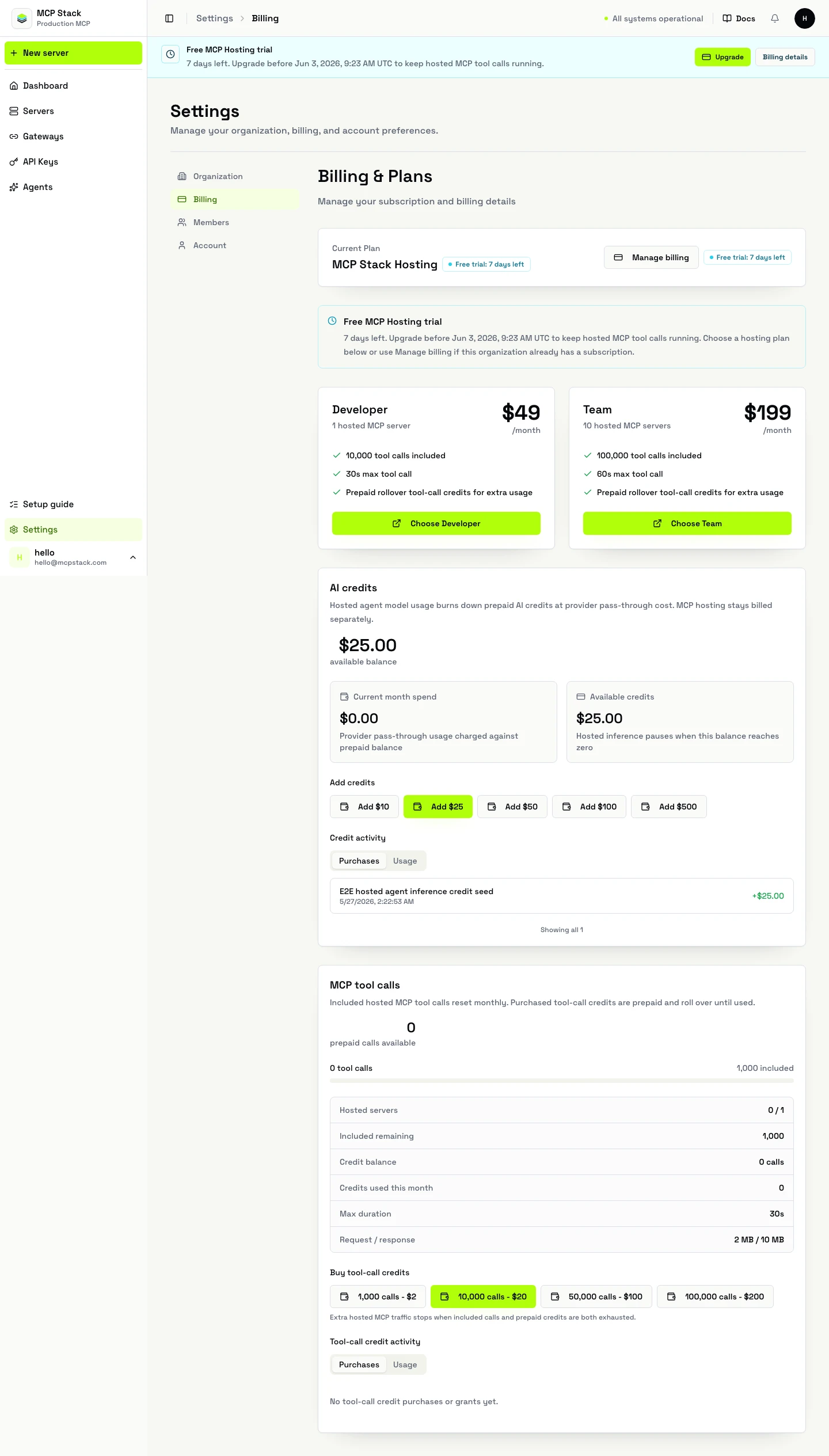
Settings → Billing shows balance, Purchases, Usage, and hosted MCP summary.
Settings → Billing.Team self-serve plans include 10 hosted MCP servers. Existing configs above the cap remain, but new hosted servers are blocked until you disable configs, upgrade, or receive an operator override.
Enterprise workspaces may show invoice status instead of self-serve plan cards.
Use the CLI when you want terminal-first billing, automation, or agent-led onboarding without the dashboard:
mcpstack billing status --json
mcpstack billing credits checkout --amount 50 --wait
mcpstack billing credits ledger --json
For agents and CI, use non-interactive JSON output and let the checkout command wait on server-side entitlement:
mcpstack billing credits checkout --amount 25 --non-interactive --wait --jsonThe command prints the Stripe Checkout URL, waits while payment is completed, and exits with refreshed billing status. Use CLI Checkout for Agents for the simple agent path. Use Billing from the CLI for full command examples and API keys for service-account automation.
Read credit summary:
GET /api/v1/organizations/{orgId}/ai-credits/summary
Authorization: Bearer {token}
Read ledger (paginated):
GET /api/v1/organizations/{orgId}/ai-credits/ledger?category=purchases&page=1&pageSize=50
GET /api/v1/organizations/{orgId}/ai-credits/ledger?category=usage&page=1&pageSize=50
Start Stripe checkout (billing manage required):
POST /api/v1/organizations/{orgId}/ai-credits/checkout-session
Authorization: Bearer {token}
Content-Type: application/json

{
  "amountUsd": 50
}
Sync after checkout:
POST /api/v1/organizations/{orgId}/ai-credits/checkout-session/{sessionId}/sync
Authorization: Bearer {token}| Symptom | What to check |
|---|---|
| Empty ledger | Role lacks billing view; wrong organization selected. |
| Cannot buy credits | Need Owner/Admin billing manage role. |
| Agent stops mid-conversation | Agent budget or org credits exhausted — see Agent budgets. |
| Cannot create hosted server | Team plan hosted server cap — disable unused configs or upgrade. |
Developers see credits and usage; Owners/Admins buy top-ups from Settings → Billing or the CLI. Agent usage debits the same ledger that purchases fill.